ArtStation — a workspace, portfolio, studio jobs and sales for artists and 3D artists
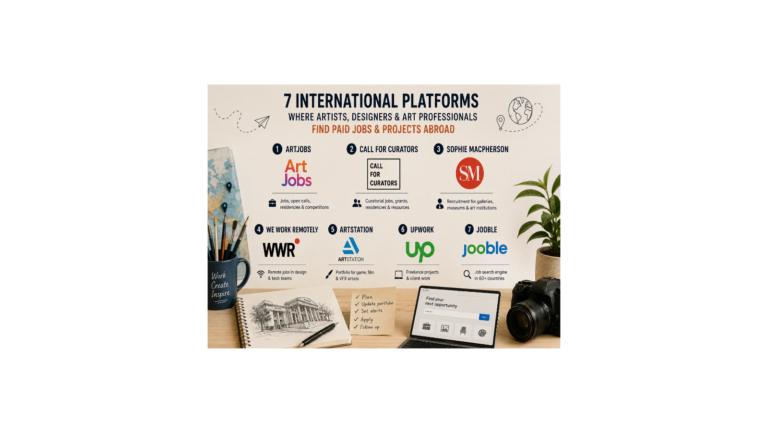
ArtStation is the go-to portfolio showcase and a workspace for artists in games, film and animation, and also a job board, a marketplace and a print shop. We’ll look at how to run a portfolio, find studio work, sell digital goods and how much the platform takes.
What the platform is
ArtStation is a leading portfolio showcase for artists in games, film, animation and VFX; since 2021 it has belonged to Epic Games — a solid owner with money and plans to grow. Inside: a portfolio and a personal site of the form name.artstation.com, a marketplace for digital goods, print sales, a jobs section, free learning and challenges.
Plans: free, Pro ($9.95 a month) and Studio ($29.99). Epic is building a single marketplace, Fab, and ArtStation sales will move there over time, but the portfolio itself remains the main platform.
How to use it
Set up your portfolio as a case study (images, video, 3D, 360° panoramas) and be sure to fill in the tags, thumbnail, topic and software used — these are the fields recruiters search by. In the résumé section list your skills, software and availability; on Pro you can attach a PDF résumé and connect your own domain.
The jobs section has filters: remote, relocation help, type (staff, contract, freelance), level, industry and discipline; many list a salary range. It’s essentially LinkedIn for CG artists: studio recruiters search straight through the profile base, and there are plenty of remote roles.
On the marketplace people sell brushes, tutorials, 3D models, textures and reference packs. AI work is labelled: the NoAI tag forbids using it to train neural networks, and for goods made with AI a label is mandatory.
What you actually get
As it stands: on Pro the sales fee is 5% plus $0.30 per item and 3% for promotion, leaving you about 92%; selling through your own ArtStation site — 95%. On the free plan the fee is 12% plus $0.30 (about 88%), and the same 95% through your own site.
Prints: you set the mark-up over the base price yourself, and Pro gets a further +5% of the base price.
Who the site is open to
Payouts go by direct bank transfer in more than 220 countries in local currency (PayPal is kept only for long-standing sellers; it’s not available to new ones).
To receive money from sales, you need a bank account in your own name in a supported country. Meanwhile the portfolio, job search and networking work from anywhere, for free — access to the platform itself isn’t restricted at all.
For monetisation, an account in a country where payouts are available will do (for example, in the EU and the Baltics, Georgia, Armenia, Kazakhstan, Poland); in Ukraine payouts work, and the hryvnia is the handier choice.
Bottom line: as a portfolio and job board, ArtStation is useful to everyone, while direct sales need an account in a supported country.
Tips
You earn the most by driving traffic to your product yourself: direct links from social media and from your own ArtStation site give you 95% instead of 92%. Fill in your availability and software — recruiters search by “skills + availability + location”. Take part in challenges: a free way to hit the trending page and build up your portfolio.
Since 2025 there’s scheduled publishing, 8K uploads and a higher file limit. Be careful with emails from “Epic/ArtStation” making offers — fakes happen; genuine requests come through the messaging system. Sellers of 3D and game assets should open a shop on Fab as well.
What changed in 2026
The Fab marketplace has launched — ArtStation sales will move there over time.
The jobs section has been revamped: the key things are up top. PayPal is closed to new sellers — if an older article said “payouts via PayPal”, that’s out of date.
From 2026 a Mature Content field is required when you publish. Learning stays free.