Ko-fi — a monetisation service for creators: donations, memberships, commissions and digital sales
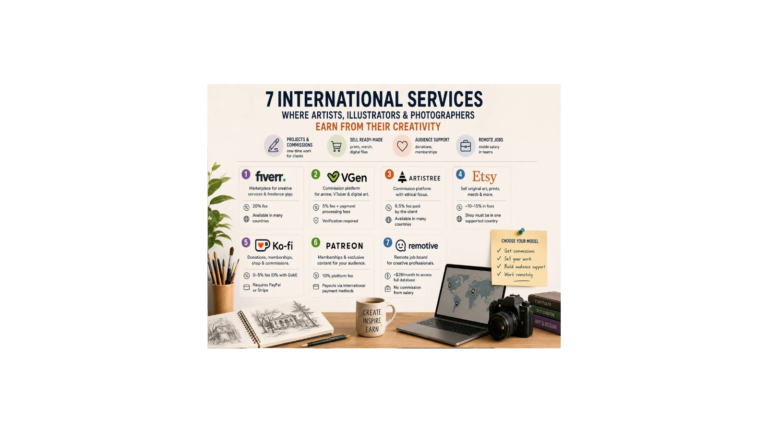
Ko-fi is a simple monetisation service: donations, memberships, a shop and commissions on a single page. We’ll look at how to use it, how much it takes after the fee reform, and which creators it’s available to.
What the service is
Ko-fi is a lightweight monetisation service for creators: one-off donations, memberships, a shop for digital and physical goods, commissions and stream alerts. It’s owned by an independent British company.
The key feature: Ko-fi doesn’t hold your money — all payments go straight to your PayPal or Stripe, and you are the seller, responsible for refunds and taxes. There’s no built-in feed or traffic — you bring the audience yourself.
The main thing for 2026: a Ko-fi Gold subscription is no longer required — all features are available for free, on a 0–5% commission model.
How to use it
Registration is free and a page is created in minutes. Go into the payment settings right away: newcomers are set to Contributor status by default, with 5% on tips — if you want commission-free donations, turn it off. Connect PayPal, Stripe or both.
The main thing for artists is the Commissions section: you create service cards (a preview, what’s included, sizes, number of revisions, deadlines) and be sure to fill in the terms (deadlines, delivery format, what you don’t draw, refunds) — the client agrees to them before paying. There’s “pay what you want”, paid add-ons and a slot limit.
Memberships are tiers with monthly payment; start with three (basic, mid, VIP). In the settings choose a default tab so a visitor lands on the right one straight away.
The shop is handy for selling digital downloads — brushes, presets, PDF guides, art packs: you upload the file once, and after that it sells and is delivered to the buyer automatically, without your involvement.
What you give up
Three options. Free ($0 a month): 0% on one-off donations, 5% on memberships, the shop and commissions. Contributor ($0 a month): a flat 5% on everything, including tips, but extra features open up — this is the one enabled by default for newcomers. Ko-fi Gold ($12 a month): 0% service fees on everything.
On top there are always payment-processor fees: PayPal and Stripe take about 3% plus $0.30 per payment. Page currencies are the dollar, euro, pound and a few others.
Who the site is open to
There are no payouts as such — the money arrives straight in your PayPal or Stripe, with no minimum. There are no other methods (Payoneer, Wise, bank) for now.
So Ko-fi suits those who have a working PayPal or Stripe in a supported country. It works fully for the diaspora in the EU (Stripe and PayPal across the EU), in the UK and the US; in Ukraine PayPal accepts incoming payments.
If you don’t have a working PayPal or Stripe — the service won’t work for receiving money, and it’s more honest to look at alternatives right away.
Tips
First, deal with the Contributor status: if you want commission-free donations, turn it off in the settings. Set the page currency to the one you receive in most often — fewer losses on conversion.
In commissions use “pay what you want” and paid add-ons (an extra character, a rush fee); sold-out slots hide the tab, so set the limit deliberately. For your website there are widgets, buttons and a WordPress plugin; Goals on the free plan run commission-free. The interface is in English only.
What changed in 2026
The main thing is the fee reform: Ko-fi Gold is no longer the key to features — now all the tools (shop, memberships, commissions) are available without a subscription.
Gold itself has gone up to $12 a month, and annual plans were dropped. A Contributor status has appeared — 5% on all payments, enabled by default for newcomers; the famous “0% on donations” now works only after you manually turn it off.
Also new: stream alerts, paid add-ons in commissions and discount codes.