Patreon — how artists, photographers and any creator can earn from paid memberships
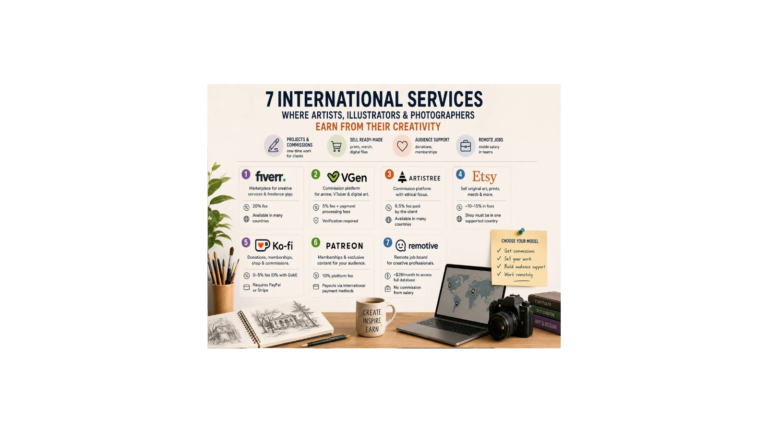
Patreon is the largest Western membership platform: steady income from loyal fans rather than one-off sales. It suits artists, illustrators, photographers, musicians and creators of every kind. Let’s look at how to set up a page, what the platform charges now, and who it really works for.
What the platform is
Patreon is the largest Western membership platform; it was founded and is run by Jack Conte. Over the years it has paid creators more than $10 billion — people have been earning real money here for a long time.
This is not a platform for artists alone: illustrators, photographers, musicians, writers, comic authors, video makers and podcasters all earn here. There are tools for any format: monthly and yearly memberships, one-off sales of digital goods (Shops), video, streams, community chats, polls and newsletters.
How to use it
Set up your page (cover, description, intro video) and your membership tiers: the higher the tier, the more value it holds. For an artist that’s a process feed and HD versions, source files (PSD, CSP), brushes, tutorials and early access; for a photographer — presets and RAW; for a musician — tracks and stems; for a writer — chapters and drafts. Be sure to add a free tier — it gathers subscribers for future offers.
Patreon gives almost no traffic of its own — bring your audience from outside (Instagram, YouTube, TikTok, ArtStation). It’s important to understand: Patreon monetises an audience you already have, it doesn’t bring a new one — from a cold start, with no fan base, it barely works. Inside there are growth tools: abandoned-checkout reminders, teaser posts, Shops (one-off sales even to non-subscribers), gift memberships, streams and a Discord link.
What you pay
It’s simple now: the platform fee is 10% of the money you receive, plus taxes. This is a single rate for everyone who set up or updated a page in recent years; long-standing creators may keep an older, lower rate.
On top comes the payment processor’s fee: card — 2.9% plus $0.30, PayPal outside the US — 3.9% plus $0.30. Currency exchange is 2.5% if a subscriber pays in a currency other than yours. Plus small withdrawal fees. A tip: build these percentages into your subscription price in advance.
Who the site is available to
Payout currencies are the dollar, euro, pound and about a dozen more.
To receive money you need a foreign bank account (a European one, for example) in a supported country and a local payout method — a bank, PayPal or Payoneer; it’s tied to your actual place of residence, not your citizenship.
Coverage is wide: payouts work in, for example, the EU and Baltic states, Ukraine, as well as Georgia, Moldova and Kazakhstan. It’s worth checking the country list in advance: if there’s no working payout method, there’s little point setting up a page.
The upshot: with the right to work and an account in a supported country, Patreon works fully; if there’s nowhere to receive payment yet, it’s more of a showcase than a source of income.
Tips
Keep the free tier as a funnel for new subscribers, and don’t make paid tiers too cheap: very small amounts fall under an unfavourable micro-payment rate. Choose your currency to match your audience — if most pay in yours, set that one to lose less on withdrawal.
Advise iPhone subscribers to sign up through a browser rather than the app: the app carries Apple’s fee and higher prices.
What changed in 2026
Recent changes: a single 10% fee for new pages, plus process streams, automatic reminders and gift memberships.
On iPhone, in-app memberships cost more because of Apple’s fee — but in the US the app already offers web payment with no markup.
All creators must move to the new billing setup by 1 November 2026; the rules on 18+ content and a ban on AI deepfakes have been updated.